
How to Build a Marketing Dashboard in Looker Studio That You'll Actually Use
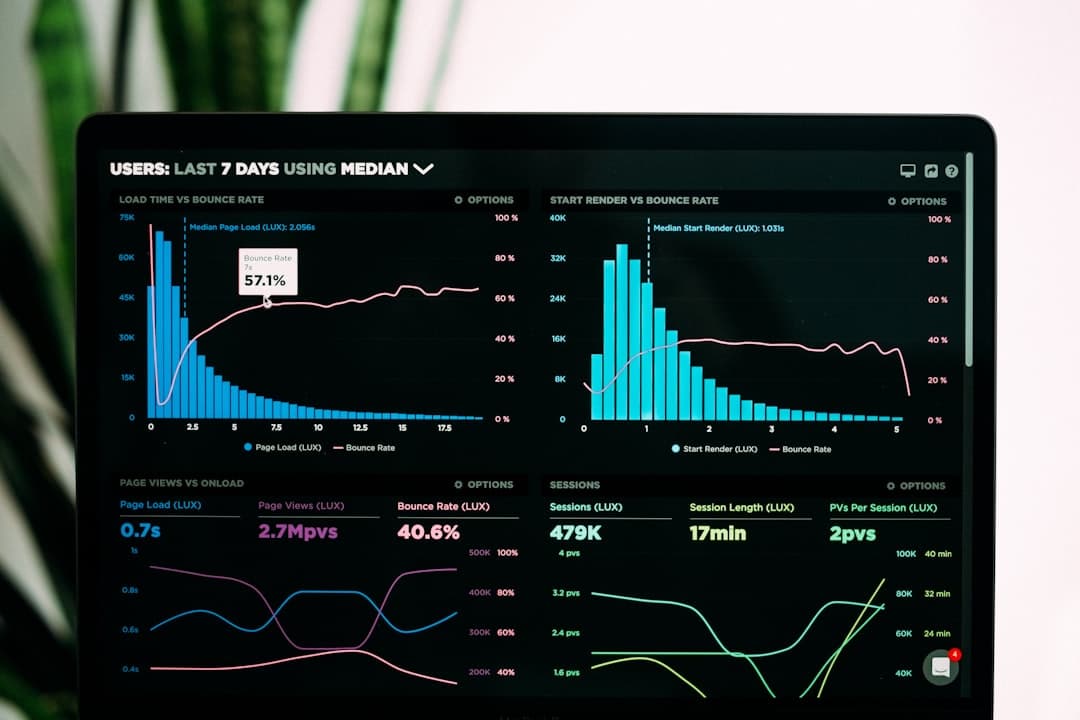 Photo by Luke Chesser on Unsplash
The best marketing dashboard I've ever built was one page, five metrics, and took 90 minutes to set up in Looker Studio. The worst was a 14-page report that took a week to build, got opened twice, and was never used again. The difference: the good one was designed around decisions. Every number on it would cause someone to do something different if it moved. The 14-page one was a data exhibit — impressive, useless.
- ✓Five decision-driving metrics beats forty data points — if a metric doesn't trigger an action when it moves, cut it.
- ✓GA4, Google Ads, and Search Console connect natively to Looker Studio for free — start there before buying third-party connectors.
- ✓Data blending lets you combine GA4 sessions with Google Ads spend in one table — no more tab-switching to connect spend to outcome.
- ✓Share via link so stakeholders always see live data, not a screenshot you forgot to update.
Why most marketing dashboards get ignored
I've built dashboards that CEOs open every Monday and dashboards that get screenshot once and then nobody looks at again. The pattern is consistent: dashboards built around 'what can we report' get ignored; dashboards built around 'what decisions do we make weekly' get used. Before opening Looker Studio, write down three questions you want the dashboard to answer. If you can't answer those three questions from the dashboard in under two minutes, the dashboard failed.
The five metrics that belong on page one
- Cost per lead by channel: paid search, paid social, organic, direct — tells you immediately where to add or cut budget.
- Lead volume this month vs. last month and same month last year: tells you if the funnel is growing or shrinking.
- Traffic-to-lead conversion rate by channel: tells you if your landing pages are working or if the problem is post-click.
- Top 5 traffic sources by leads (not by sessions): organic traffic that doesn't convert leads is vanity. Cut through it.
- ROAS or revenue attributed to paid channels: ties your spend to outcomes, not just activity metrics.
Connecting the data — free vs. paid connectors
GA4, Google Ads, Google Search Console, and YouTube are all free native connectors in Looker Studio. Authorise your Google account and you're in. For Meta Ads, there's no official native connector — you need a third-party tool. Porter Metrics has a free tier that covers most small accounts. Supermetrics is more powerful and costs more. For CRM data (meetings booked, pipeline value), HubSpot has a native connector; for other CRMs, a Google Sheets export synced daily works fine.
The data blend that saves 20 minutes every week
Looker Studio's data blending lets you join GA4 session data with Google Ads spend data on a shared dimension — campaign name or date. The result is a single table that shows campaign → spend → clicks → sessions → conversions → cost per conversion, all in one row. No more switching between Google Ads and GA4 and trying to match the numbers manually. Build this once and it updates automatically.
A dashboard that takes 20 minutes to find one answer isn't a dashboard — it's a filing cabinet. Build for the question, not for the completeness.
The setup that actually gets used
- One page for weekly decisions (the five metrics above with date range controls and channel filters).
- Second page for drill-down: campaign-level data, landing page conversion rates, keyword performance.
- Date comparison built in: current period vs. previous period and vs. same period last year — both visible without rebuilding.
- Shared via link: anyone with the link sees live data. No exports, no screenshots, no 'here's last month's numbers' emails.
Is Looker Studio free?
Yes. Google Looker Studio (formerly Data Studio) is free. The native Google connectors (GA4, Google Ads, Search Console, YouTube) are free. You only pay if you use third-party connectors for platforms like Meta Ads or HubSpot — Porter Metrics has a free tier for small accounts, Supermetrics starts around $99/month.
How do I connect Meta Ads to Looker Studio?
Meta has no official native connector. Your options: Porter Metrics (free tier, easiest setup), Supermetrics (paid, most features), Windsor.ai (mid-range), or a manual export to Google Sheets on a schedule. For most small to mid-size accounts, Porter Metrics free tier is sufficient.
What's the difference between Looker Studio and Looker?
Looker Studio (free) is a reporting and visualisation tool — think Google's answer to Tableau Public. Looker (expensive enterprise product) is a full BI platform with its own SQL modelling layer (LookML). Marketing teams use Looker Studio. Enterprise data teams use Looker. They share a brand name but are completely different products.

Want this kind of system built for your business? Let's talk — the first call is free, no pressure.